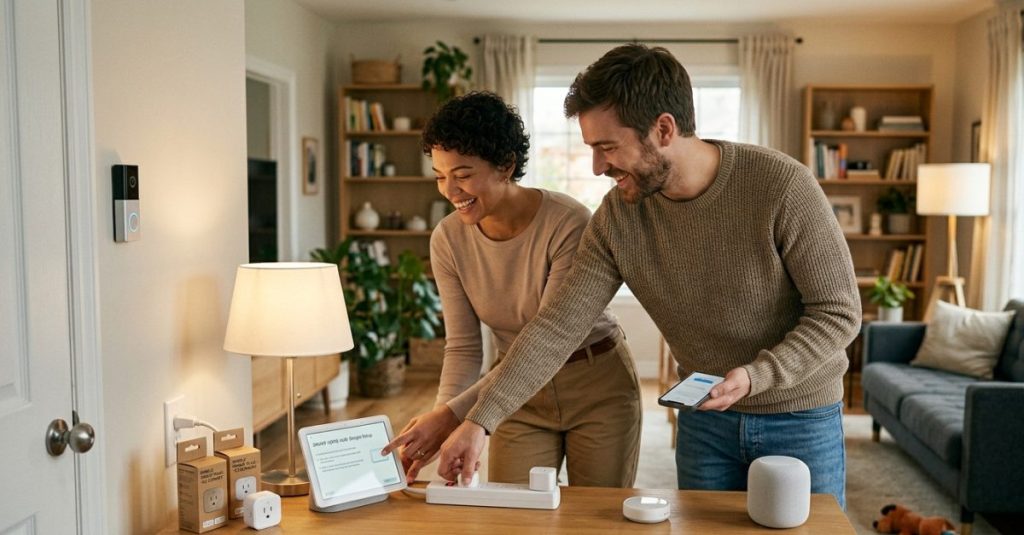

Setting up a smart home sounds more complicated than it is. Ask anyone who’s spent an afternoon reading about Zigbee protocols and Z-Wave mesh networks, and they’ll tell you: it’s easy to disappear down a rabbit hole before you’ve bought a single thing.
The smarter move is to ignore most of that — at least at first.
The best beginner setup isn’t the most complete one. It’s the one you’ll actually use. A handful of well-chosen devices that slot into your daily routine will teach you more about what smart home tech can do than any amount of research. And the good news is that in 2026, the entry-level stuff is genuinely good.
Here’s where to start.
Smart Plugs: The Obvious First Buy
If you only buy one thing, make it a smart plug. You push it into a wall outlet, connect it to your Wi-Fi, and suddenly any lamp, fan, or coffee machine becomes a device you can schedule, remote-control, or build automations around.
There’s no installation, no wiring, and no learning curve. Some models also track energy usage, which can be a small revelation when you discover how much certain devices draw on standby.
The practical use case most people land on first: setting their coffee machine to start before they get out of bed. It sounds trivial. It is trivial. It also works perfectly every time, and that’s what gets people hooked.
Smart Bulbs: Replace the Bulb, Keep Everything Else
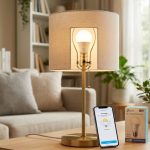
Smart bulbs have a simple pitch — you unscrew a regular bulb and screw in a smart one. That’s the entire installation. From there, you get scheduling, dimming, and on most models, a full range of color or at least warm-to-cool white adjustment.
The genuinely useful part is automation. Lights that come on at sunset and dim an hour before you usually go to sleep aren’t a gimmick — they make a real difference to how a home feels in the evening. And lights that turn off automatically when you leave mean you’ll stop doing that walk back to the light switch before you leave for work.
Budget for a decent brand here. Cheap smart bulbs have a tendency to drop off Wi-Fi, respond slowly, or just fail earlier than they should.
Smart Speakers: The Part That Ties Everything Together
A smart speaker isn’t strictly necessary, but it changes how smart home devices feel to use. Pulling out your phone to turn off a lamp gets old. Saying “turn off the living room lights” while you’re already in bed does not.
Beyond device control, smart speakers handle music, timers, reminders, and general questions well enough that most people find themselves using them daily even for things unrelated to home automation. They become infrastructure fast.
The main thing to consider is ecosystem — Google, Amazon, and Apple all have their own, and while most devices support multiple platforms, it’s worth picking a lane early and staying in it.
Smart Thermostats: The One That Pays You Back
Heating and cooling typically account for the largest chunk of home energy use. A smart thermostat is one of the few smart home purchases that can genuinely offset its own cost over time — not as a marketing claim, but in practice, because it stops heating or cooling an empty house.
Modern smart thermostats learn your schedule, adjust when you’re away, and let you control things remotely. If you’re coming home earlier than usual, you can warm the house from the road. If you forgot to lower the heat before a long weekend away, you can fix it from wherever you are.
The setup is slightly more involved than a plug or a bulb — you’re replacing an existing thermostat — but most models walk you through it, and it’s generally a 20-minute job.
Security Cameras: Peace of Mind You Can Actually Check
For a lot of people, security is the original motivation for getting into smart home tech at all. The ability to check a live feed of your front door, your backyard, or inside your home while you’re away is useful in a way that’s hard to argue with.
Modern cameras are straightforward — they connect over Wi-Fi, send motion alerts to your phone, and store footage either locally or in the cloud. Some can distinguish between people, animals, and vehicles, which cuts down significantly on false alerts.
The main trade-off is cloud storage costs. Many cameras are inexpensive to buy but charge monthly for full-featured recording. It’s worth reading the small print before you commit to a specific model.
Motion Sensors and Door Sensors: Where It Gets Interesting
These are the devices that turn a collection of smart gadgets into something that actually behaves intelligently. On their own, they’re simple — a motion sensor detects movement, a door sensor knows whether something is open or closed. But connected to other devices, they enable genuinely useful automations.
Lights that turn on when you walk into a room and off when you leave. An alert if the back door is still open when you arm your system at night. A notification if motion is detected in a room that should be empty. These are the automations that make people say the technology is actually doing something.
They’re also among the cheapest smart home devices you can buy, which makes them easy to experiment with.
How to Actually Start
The mistake most people make is trying to build the whole thing at once. They buy cameras, bulbs, sensors, a thermostat, and a hub in one go, and then spend a weekend frustrated with setup instead of enjoying any of it.
A better approach: one smart plug and one smart bulb. Get comfortable with the app, set up one automation — even just a timer — and see how it feels. Add a smart speaker once those are working. From there, expand based on what you actually want, not what a buying guide tells you to want.
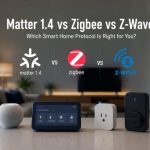
Wi-Fi devices are the right choice at this stage. They don’t require a hub, they set up quickly, and they’re compatible with the major voice platforms out of the box. Zigbee and Z-Wave become worth thinking about later, when you have enough devices that a more efficient, scalable protocol starts to matter.
What to Spend
A starter setup — one smart plug, one or two bulbs — can be put together for well under $50. Adding a smart speaker brings you to somewhere in the $80–120 range depending on what you choose. A thermostat is a bigger investment, typically $100–250, but it’s also the device most likely to justify itself financially.
You don’t need to spend much to get started. The goal at first isn’t a complete smart home — it’s a few things that work well and make you want to build further.
The Bottom Line – Best Smart Home Devices for Beginners
Smart home technology in 2026 is genuinely accessible in a way it wasn’t a few years ago. The devices are more reliable, the apps are better, and the ecosystems are more compatible with each other than they used to be.
But the technology only earns its place if it actually makes your life easier. Start with the basics, get comfortable with automation, and let the system grow around how you actually live. That’s how a smart home becomes something you use every day without thinking about it — which is, ultimately, the whole point.
Free IPTV playlist – tested, working
- Matter 1.4 vs Zigbee vs Z-Wave: Best Smart Home Protocol for US Homes in 2026
 By KontraNet IoT Hub | Last Updated: June 3, 2026 | Reading time: 11 min Quick Pick for US Homeowners in 2026 Use this table if you just need the answer fast: Your Situation Best Protocol in 2026 Why It Wins for US Homes Apple + Google + Alexa household Matter 1.4 over Thread All 3 ecosystems control the…
 - Best Cellular IoT Data Plans for US Makers in 2026: Hologram vs Twilio vs Soracom TestedBy KontraNet IoT Hub | Last Updated: June 1, 2026 | Reading time: 9 min Quick Pick for US Makers in 2026 Use this table if you just need the answer fast: Your Project Type Best IoT SIM in 2026 Why It Wins for US Makers 1-10 devices, prototyping Hologram IoT SIM Free 1MB/month per device forever. Pay-as-you-go after.…
- Smart Home Energy Saving: How to Cut Your Electricity Bill in 2026Smart home energy saving is one of the most effective ways to cut your electricity costs in 2026 — and the results are measurable. The average American household spends between $1,500 and $2,000 on electricity every year. Most of that money goes to heating, cooling, and appliances running longer than they need to — and…
- Smart Locks & Keyless Entry: The Complete Beginner’s Guide for 2026Keys are one of those things we’ve lived with for so long that we forget how inconvenient they actually are. You lose them. You forget them. You make copies for the plumber and never get them back. You lie awake wondering if you actually locked the front door when you left for vacation. Smart locks…
- Best Linux Distros for IoT in 2026: Pi 5, RISC-V, and Edge AI TestedLinux powers 80% of Internet of Things devices shipped in the US, from your Home Assistant hub to industrial sensors at Ford plants. With Raspberry Pi 5, cheap RISC-V boards, and Matter 1.4 changing the game in 2026, picking the right distro matters more than ever. We tested five of the best Linux distros for…