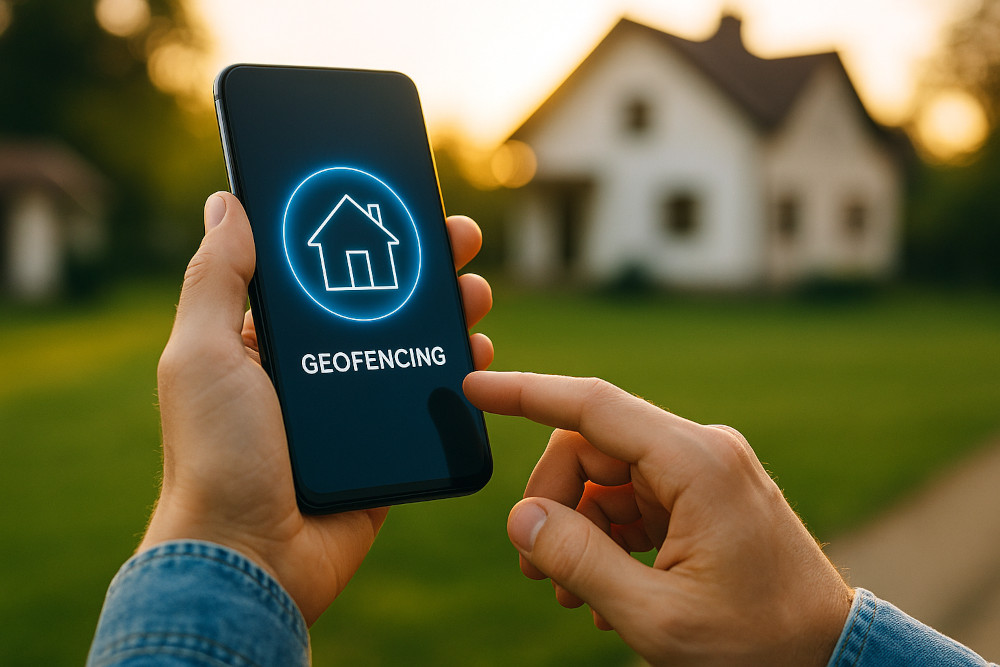

Imagine pulling into your driveway after a long day—your porch lights switch on, the thermostat adjusts to the perfect temperature, and your door unlocks automatically. This isn’t science fiction—it’s geofencing, one of the most powerful yet underused tools in smart home automation.
What Is Geofencing?
Geofencing creates a virtual boundary around a physical location—such as your home—using GPS, Wi-Fi, or cellular data. When a device (like your smartphone) enters or leaves this boundary, it triggers predefined actions in your smart home system.
Think of it as an invisible butler who knows when you’re coming and going.
How Geofencing in Smart Homes Works
- Define a Location – Set a specific radius around your home (commonly 100–500 meters).
- Assign Devices – Usually your smartphone, but sometimes wearables or connected cars.
- Link to Automations – Connect triggers to smart devices such as lights, locks, thermostats, or security cameras.
Popular Use Cases for Geofencing
- Lighting Automation – Lights turn on when you arrive, off when you leave.
- Climate Control – HVAC adjusts to save energy when you’re away.
- Security Systems – Arming/disarming alarms automatically.
- Garage Doors – Opens as you approach, closes when you leave.
- Appliance Control – Smart plugs switch off unnecessary devices when you’re gone.
Benefits of Geofencing
- ✅ Hands-Free Convenience – No more fumbling for apps or switches.
- ✅ Improved Security – Your home reacts instantly to your absence.
- ✅ Energy Efficiency – Reduces power use when you’re not around.
- ✅ Personalization – Different family members can have custom settings.
Limitations to Keep in Mind
- 📱 Battery Usage – GPS-based geofencing can drain mobile batteries.
- 📍 Accuracy Issues – Tall buildings or poor GPS signals can cause false triggers.
- 🔐 Privacy Concerns – Location tracking may raise data security questions.
[linkpreview]https://kontranet.com/iot-product-reviews/top-7-smart-home-gadgets-under-50/[/linkpreview]
How to Set It Up
- Amazon Alexa – Use the Alexa app’s location-based routines.
- Google Home – Works via Google Assistant routines linked to your phone’s location.
- Apple HomeKit – Relies on iPhone or Apple Watch location data.
- SmartThings, Hubitat, Home Assistant – Offer advanced customization for tech-savvy users.
Pro Tip: Combine geofencing with time-based conditions for maximum efficiency (e.g., don’t turn on porch lights in broad daylight).
Final Thoughts
Geofencing is a smart home feature that blends technology with intuition—your home simply knows when you’re there and when you’re not. By using it strategically, you can enjoy greater convenience, save energy, and enhance security without lifting a finger.
If you’ve invested in smart devices but haven’t explored geofencing yet, now’s the time to give it a try.

OpenDAN: Your Personal Open-Source AI Operating System
- Matter 1.4 vs Zigbee vs Z-Wave: Best Smart Home Protocol for US Homes in 2026
 By KontraNet IoT Hub | Last Updated: June 3, 2026 | Reading time: 11 min Quick Pick for US Homeowners in 2026 Use this table if you just need the answer fast: Your Situation Best Protocol in 2026 Why It Wins for US Homes Apple + Google + Alexa household Matter 1.4 over Thread All 3 ecosystems control the…
 - Best Cellular IoT Data Plans for US Makers in 2026: Hologram vs Twilio vs Soracom TestedBy KontraNet IoT Hub | Last Updated: June 1, 2026 | Reading time: 9 min Quick Pick for US Makers in 2026 Use this table if you just need the answer fast: Your Project Type Best IoT SIM in 2026 Why It Wins for US Makers 1-10 devices, prototyping Hologram IoT SIM Free 1MB/month per device forever. Pay-as-you-go after.…
- Smart Home Energy Saving: How to Cut Your Electricity Bill in 2026Smart home energy saving is one of the most effective ways to cut your electricity costs in 2026 — and the results are measurable. The average American household spends between $1,500 and $2,000 on electricity every year. Most of that money goes to heating, cooling, and appliances running longer than they need to — and…
- Smart Locks & Keyless Entry: The Complete Beginner’s Guide for 2026Keys are one of those things we’ve lived with for so long that we forget how inconvenient they actually are. You lose them. You forget them. You make copies for the plumber and never get them back. You lie awake wondering if you actually locked the front door when you left for vacation. Smart locks…
- Best Linux Distros for IoT in 2026: Pi 5, RISC-V, and Edge AI TestedLinux powers 80% of Internet of Things devices shipped in the US, from your Home Assistant hub to industrial sensors at Ford plants. With Raspberry Pi 5, cheap RISC-V boards, and Matter 1.4 changing the game in 2026, picking the right distro matters more than ever. We tested five of the best Linux distros for…