
Quick Overview of Smart Lighting Setup Guide
- Smart lighting is the easiest way to start a smart home
- Setup can take less than 10–15 minutes
- Works with Wi-Fi or Zigbee systems
- No technical experience required
If you’re starting your smart home journey, lighting is the best place to begin. It’s simple, affordable, and instantly useful.
With the right setup, your lights can:
- turn on automatically
- adjust brightness throughout the day
- respond to your routines
This smart lighting setup guide will walk you through everything step by step — from choosing the right bulbs to creating your first automation.
What Is Smart Lighting?
Smart lighting allows you to control your lights using:
- a mobile app
- voice commands
- automation rules
Instead of using a traditional switch, you can:
- schedule lights
- control them remotely
- adjust brightness and color
👉 It’s one of the most practical upgrades you can make.
Step 1: Choose Your Smart Lighting Type
Before setup, decide how your system will work.
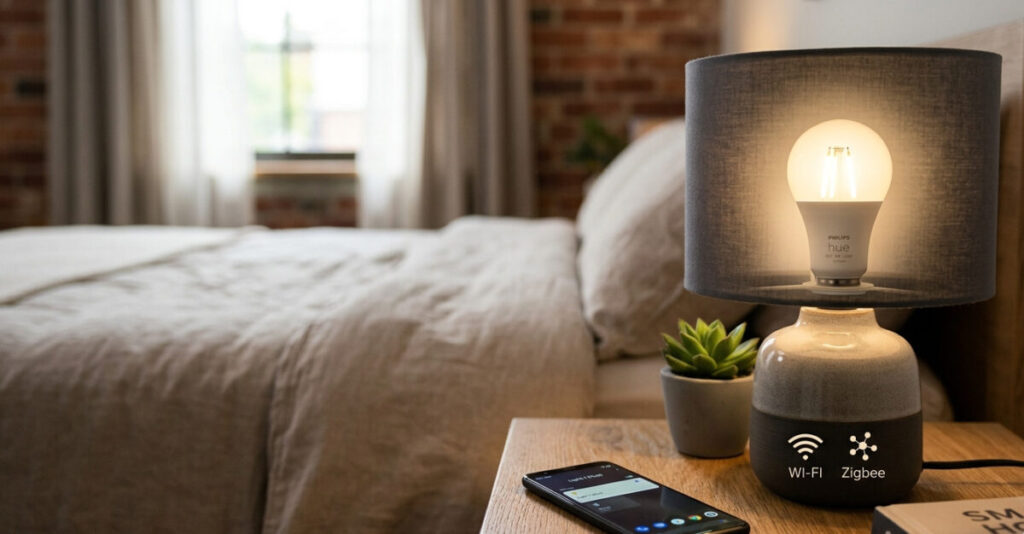
Option 1: Wi-Fi Smart Bulbs
- connect directly to your router
- no hub required
- easiest option for beginners
👉 Best for small setups
Option 2: Zigbee Smart Lighting
- requires a hub
- uses a mesh network
- more reliable for larger homes
👉 Better for scalability
Step 2: Get the Right Equipment
For a basic smart lighting setup, you’ll need:
- smart bulbs
- a smartphone
- a stable Wi-Fi connection
- (optional) a hub for Zigbee
Step 3: Install the Smart Bulbs
- Screw the bulb into your fixture
- Turn on the light
Most bulbs will:
- enter pairing mode automatically
- start blinking
Step 4: Download the App
Install the app recommended by your device manufacturer.
Create an account if required.
Step 5: Connect the Lights to Wi-Fi
Inside the app:
- tap “Add Device”
- select your smart bulb
- connect to your Wi-Fi network
👉 Make sure you use 2.4 GHz Wi-Fi
Step 6: Pair and Name Your Lights
Once connected:
- give each light a clear name
- “Bedroom Light”
- “Kitchen Light”
👉 This helps with automation later.
Step 7: Test Basic Controls
Try:
- turning lights on/off
- adjusting brightness
- changing colors
If everything works, your setup is complete.
Step 8: Create Your First Automation
Now comes the real value.
Example 1: Sunset Lighting
Lights turn on automatically when it gets dark.
Example 2: Night Mode
All lights turn off at a specific time.
Example 3: Wake-Up Lighting
Lights gradually brighten in the morning.
👉 These simple automations make your setup feel smart.
Best Practices for Smart Lighting Setup
✔ Start Small
Begin with 1–2 rooms.
✔ Use Clear Naming
Avoid generic names like “Light 1”.
✔ Group Lights by Room
Makes control easier.
✔ Test Automations
Always test before relying on them.
Common Mistakes to Avoid
❌ Using Only 5 GHz Wi-Fi
Most smart lights require 2.4 GHz.
❌ Adding Too Many Devices at Once
Start small to avoid connection issues.
❌ Ignoring Compatibility
Make sure devices work together.
❌ Skipping Automation
Manual control limits the benefits.
Wi-Fi vs Zigbee: Which Should You Choose?
| Feature | Wi-Fi | Zigbee |
|---|---|---|
| Setup | Easy | Moderate |
| Cost | Lower | Higher |
| Scalability | Limited | Excellent |
| Power usage | Higher | Lower |
👉 Beginners should start with Wi-Fi and expand later.
Advanced Setup Ideas
Once you’re comfortable:
- add motion sensors
- integrate voice assistants
- create multi-device routines
👉 This is where smart homes become powerful.
FAQ
How long does it take to set up smart lighting?
Most setups take 10–15 minutes.
Do I need a hub for smart lighting?
Not for Wi-Fi bulbs, but Zigbee systems require one.
Can I control lights when I’m not home?
Yes, as long as they are connected to the internet.
How many smart lights can I install?
You can start with a few and expand gradually.
Is smart lighting worth it?
Yes, it improves convenience, efficiency, and comfort.
Building Your First Smart Lighting System
Smart lighting is one of the simplest and most effective upgrades you can make. It requires minimal effort but delivers immediate benefits.
By following this smart lighting setup guide, you can create a system that fits your lifestyle and grows with your needs. Start small, experiment with automation, and expand when you’re ready.
- What Data Do Smart Home Devices Collect? (And What Happens to It)
 What data do smart home devices collect? The honest answer is: far more than most people realise, far more than is necessary for the devices to do their jobs, and in many cases, far more than the average person would be comfortable with if they read the privacy policy in full. 82% of smart home…
 - Digital Twins Explained: The Technology That Creates a Living Copy of EverythingDigital twins explained in one sentence: a digital twin is a living, continuously updated virtual replica of a real physical object, system, or process — connected to its real-world counterpart through sensors and data, updating in real time as the physical version changes. That definition is accurate, but it doesn’t quite capture why this technology…
- IoT Sensors Explained: What They Are, How They Work, and Where They’re Already in Your HomeIoT sensors explained simply: every smart device you own — your thermostat, your fitness tracker, your doorbell camera, your robot vacuum — relies on at least one sensor to do its job. Sensors are the reason smart devices are smart. Without them, a connected device is just a device. Yet most explanations of IoT sensors…
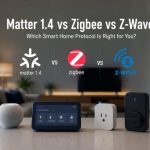
- Matter 1.4 vs Zigbee vs Z-Wave: Best Smart Home Protocol for US Homes in 2026By KontraNet IoT Hub | Last Updated: June 3, 2026 | Reading time: 11 min Quick Pick for US Homeowners in 2026 Use this table if you just need the answer fast: Your Situation Best Protocol in 2026 Why It Wins for US Homes Apple + Google + Alexa household Matter 1.4 over Thread All 3 ecosystems control the…
- Best Cellular IoT Data Plans for US Makers in 2026: Hologram vs Twilio vs Soracom TestedBy KontraNet IoT Hub | Last Updated: June 1, 2026 | Reading time: 9 min Quick Pick for US Makers in 2026 Use this table if you just need the answer fast: Your Project Type Best IoT SIM in 2026 Why It Wins for US Makers 1-10 devices, prototyping Hologram IoT SIM Free 1MB/month per device forever. Pay-as-you-go after.…




Introducing GPT-5.5: Everything You Need to Know About OpenAI’s Most Advanced AI Yet