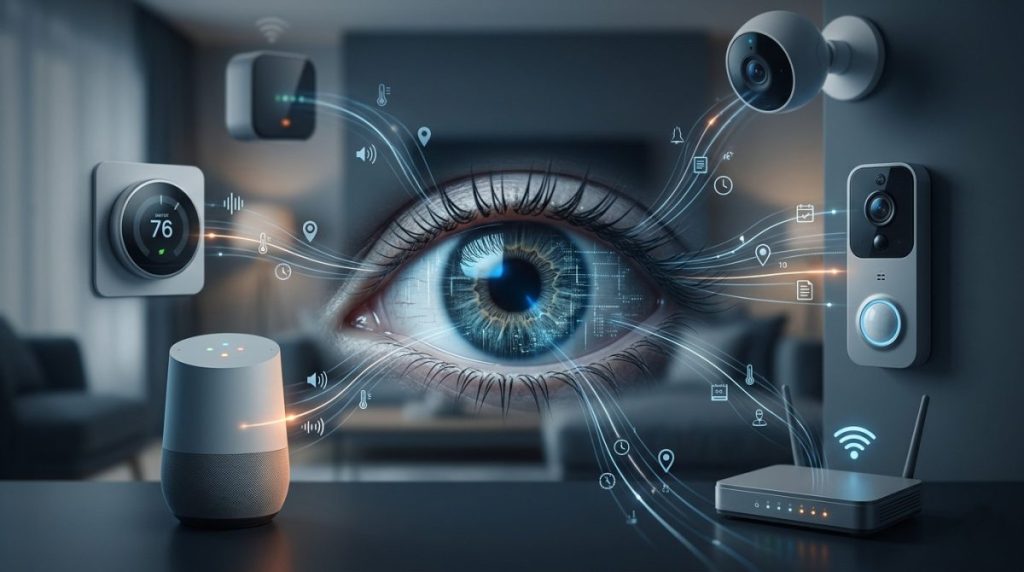

What data do smart home devices collect? The honest answer is: far more than most people realise, far more than is necessary for the devices to do their jobs, and in many cases, far more than the average person would be comfortable with if they read the privacy policy in full.
82% of smart home devices collect behavioural data. 57% send it to manufacturer cloud servers. Your thermostat knows when you wake up. Your doorbell camera may have facial recognition. Your voice assistant has been listening — and in documented cases, those recordings have been subpoenaed by law enforcement, shared with advertisers, and used in ways the original owners never anticipated.
None of this means you should throw your smart home in a skip. Smart home technology is genuinely useful, and the data collection that powers it isn’t always sinister. But you deserve to know what’s being collected, where it goes, and what you can do about it. That’s what this guide covers.
Why Smart Home Devices Collect So Much Data
Smart home devices collect data for several reasons — some legitimate, some less so.
To make the device work. A smart thermostat needs to know the current temperature, your location, and your schedule to do its job. A robot vacuum needs to map your floor plan. A voice assistant needs to capture audio to respond to commands. This is the data collection you signed up for.
To improve the product. Manufacturers analyse usage patterns across their entire user base to improve algorithms, fix bugs, and develop new features. Your Nest thermostat‘s behaviour improves partly because Google is learning from how millions of Nest users heat and cool their homes. This is broadly benign, though the scale of it is striking.
To serve advertising. This is where legitimate data collection starts to blur into something more uncomfortable. Several smart home platforms use usage data — when you’re home, what you watch, what you ask about — to build advertising profiles or sell data to third-party marketing companies. The Amazon Echo’s connection to Amazon’s advertising business is not incidental.
To comply with legal requests. Smart home devices store data that law enforcement agencies can and do request. This happens more often than most people know.
Because they can. The uncomfortable truth is that many devices collect data that has no obvious purpose for the user — simply because the capability exists and the data has potential future value. Personal data associated with smart home devices can be categorised into three types: received directly from users, observed from the surrounding environment with sensors, and inferred or predicted with computation.
What Each Device Type Collects — Device by Device
Smart Speakers (Amazon Echo, Google Nest, Apple HomePod)
Smart speakers are the most data-intensive smart home devices most people own. Amazon’s Alexa collects 28 out of 32 possible data points — over three times more than the average smart home device.
What’s collected:
- Voice recordings of all interactions (and sometimes false positives — recordings triggered when the device incorrectly detected its wake word)
- The content of every query and command
- Music listening habits
- Smart home control patterns — when you turn things on and off
- Shopping behaviour (Amazon Echo)
- Calendar and reminder content
- Contact information if you make calls through the device
- Your home Wi-Fi network details
Where it goes: Amazon, Google, and Apple all store voice interaction logs on their servers. Amazon and Google use this data to improve their advertising targeting. Alexa voice recordings can be reviewed by Amazon employees as part of quality improvement programmes — a practice that generated significant controversy when first revealed.
What you can do: All three platforms let you review and delete your voice history. In the companion app: Amazon (Alexa app → History), Google (myactivity.google.com), Apple (Siri & Search in Privacy settings). You can also disable the feature that allows recordings to be used for product improvement.
Smart Thermostats (Nest, Ecobee, Honeywell Home)
Smart thermostats are among the most privacy-sensitive devices in the home because of what their data reveals about your daily life.
What’s collected:
- Temperature settings and adjustments
- Occupancy detection data — when the home is occupied and by how many people
- Your daily schedule inferred from heating/cooling patterns
- Your location via integration with your phone
- HVAC system performance data
- Humidity levels
- Local weather data correlated with your usage
What this reveals: Your thermostat data tells a detailed story about your life. When you wake up. When you leave for work. When you come home. When you go on vacation. Whether you have a regular schedule or an irregular one. Whether you sleep in on weekends. This behavioural data is arguably more revealing than most people’s social media profiles.
Where it goes: Google (Nest) and Ecobee both use thermostat data to improve their products and, in the case of Google, to inform their broader data ecosystem. Ecobee has participated in utility demand-response programmes — using your thermostat data to help utilities manage grid demand, in exchange for bill credits offered to participating homeowners.
What you can do: Review the data sharing settings in your thermostat app. Both Nest and Ecobee allow you to limit data sharing beyond what’s required for core functionality.
Video Doorbells and Security Cameras (Ring, Nest, Wyze)
Video doorbells and surveillance cameras collect the most sensitive information of any smart home device category: live video, audio, and detailed records of daily routines and visitor patterns.
What’s collected:
- Continuous or motion-triggered video footage
- Audio recordings (two-way audio capable devices record both sides)
- Facial recognition data (on AI-enabled models)
- Motion event timestamps — building a detailed log of everyone who approaches your home
- Package detection and vehicle recognition
- Your daily departure and arrival patterns
Where it goes: Ring (owned by Amazon) stores footage on Amazon’s cloud servers. In 2022, Amazon confirmed that Ring had given video footage to law enforcement 11 times that year without the owner’s consent under “emergency” provisions. Ring also previously had a partnership programme with police departments — called the Neighbours app — that allowed law enforcement to request footage directly from Ring owners, and in some cases to access it without explicit owner consent under certain legal frameworks.
Wyze experienced a significant security incident in 2024 in which thousands of camera thumbnails were briefly exposed to the wrong user accounts — a reminder that cloud storage of sensitive video comes with inherent risk.
What you can do:
- Enable end-to-end encryption on Ring cameras (available in settings, not enabled by default)
- Use local storage options where available instead of cloud storage
- Review your camera’s law enforcement data request settings in the Ring app (Ring → Control Center → Law Enforcement Requests)
- Consider cameras that process footage locally (like Eufy’s home base model) rather than defaulting to cloud storage
Smart TVs (Samsung, LG, Roku, Vizio)
Smart TVs are quietly one of the most aggressive data collectors in the home — partly because most people don’t think of them as data-collecting devices at all.
What’s collected:
- Automatic Content Recognition (ACR) data — technology that captures what’s displayed on your TV screen, whether you’re streaming, watching cable, or playing a game, and identifies it against a database of content
- Viewing habits at the individual show and episode level
- Time spent watching
- Volume and viewing time patterns
- App usage data
- Voice command content (on voice-enabled models)
- IP address and device identifiers
What ACR means in practice: Your smart TV can identify every piece of content you’ve watched, cross-reference it against your demographics, and sell that data to advertisers. Vizio reached a $2.2 million settlement with the FTC after collecting viewing data from 11 million TVs without adequate consent disclosure.
What you can do: Disable ACR in your TV’s privacy settings. The location varies by manufacturer — search “[your TV brand] disable ACR” for step-by-step instructions. On Samsung it’s called “Viewing Information Services.” On LG it’s “Live Plus.” On Roku it’s called “Smart TV Experience” under Privacy settings.
Smart Doorbells, Locks, and Access Devices
What’s collected:
- Entry and exit logs — every time the door is locked or unlocked, by whom, and when
- Access code usage patterns
- Failed entry attempts
- Your location (via geofencing features)
- Guest access patterns
What this reveals: Your smart lock’s activity log is effectively a surveillance record of everyone who enters and leaves your home. This data is stored on manufacturer servers and is subject to the same law enforcement request processes as camera footage.
Robot Vacuums (Roomba, Roborock)
This one surprises most people. Robot vacuums don’t just clean your floor — they map it, and that map is often stored in the cloud.
What’s collected:
- Detailed floor plans of your home, including room layouts and furniture placement
- Cleaning history and frequency
- Home occupancy patterns inferred from cleaning schedules
- In some cases, camera footage (higher-end models with obstacle avoidance cameras)
iRobot (maker of Roomba) previously announced — then cancelled after significant backlash — a plan to sell home map data to smart home companies. The proposal was shelved, but it illustrated the potential commercial value of floor plan data that most owners never considered.
What you can do: Check your robot vacuum app’s privacy settings and data sharing options. Most allow you to delete stored maps. Consider whether cloud connectivity is necessary for your use case — some models offer local-only operation modes.
Who Gets Your Smart Home Data?
The manufacturer is just the first stop. Smart home data typically flows to multiple parties:
The manufacturer’s cloud servers — where it’s stored, processed, and used to improve products and target advertising.
Third-party advertisers and data brokers — many smart home companies sell or share anonymised (or pseudonymised) data with advertising partners. The “anonymised” qualifier deserves scepticism — research has repeatedly shown that behavioural data can be re-identified even after standard anonymisation techniques are applied.
Partner companies — smart home ecosystems are interconnected. Amazon, Google, and Apple share data across their product families. A query to Alexa may inform Amazon’s advertising targeting even if you’re not an Amazon shopper.
Law enforcement — via legal requests (warrants, subpoenas) and in some cases under emergency provisions that bypass the usual warrant process. Smart home devices have been used as evidence in criminal cases more frequently than most people realise.
In the event of a sale or acquisition — privacy policies typically allow data to be transferred as a business asset if the company is sold. The privacy policy you agreed to when you bought the device may not be the policy that governs your data in five years.
Your Legal Rights Over Smart Home Data
US data privacy law in 2026 remains fragmented — there’s no comprehensive federal privacy law equivalent to Europe’s GDPR. Your rights depend on your state:
California (CCPA/CPRA): California residents have the right to know what data is collected, request deletion, opt out of data sales, and not be discriminated against for exercising these rights. California remains the strongest state-level protection in the US.
Virginia, Colorado, Connecticut, Texas, and others: A growing number of states have passed their own privacy laws with varying consumer rights. Check whether your state has a privacy law and what rights it grants.
Federal protections: The FTC has enforcement authority over deceptive privacy practices — companies that claim to protect data while doing the opposite. This has led to settlements but not comprehensive regulation.
What this means practically: You have more rights than you probably exercise. Every major smart home manufacturer provides a data deletion or data request mechanism — usually accessible through the companion app or a web portal. Using these periodically is worth doing.
Practical Steps to Protect Your Privacy Without Giving Up Smart Home Tech
Understanding the data collection landscape is only useful if it leads to action. Here’s a practical approach:
1. Read privacy policies before buying — selectively You don’t need to read every word. Look for the sections on data sharing with third parties, data retention periods, and law enforcement cooperation. These three sections reveal the most about a company’s actual approach to your data.
2. Disable data sharing features you don’t benefit from Most smart home apps have privacy settings that go beyond the defaults. ACR on your TV, voice recording review programmes on smart speakers, and map sharing on robot vacuums are all typically opt-out — meaning they’re enabled by default and you have to actively disable them.
3. Use local storage where possible Cameras and doorbells that store footage locally (on an SD card or home NAS drive) rather than in the cloud keep your most sensitive data on hardware you physically control. Eufy’s home base model and Reolink cameras with local storage are worth considering for this reason.
4. Separate your IoT devices from your main network As covered in our IoT security articles — putting smart home devices on a guest network keeps them isolated from devices holding more sensitive data. It also limits what data can flow between devices on your network.
5. Regularly delete stored data Amazon, Google, and Apple all allow you to delete your voice interaction history. Ring lets you delete video footage. Roomba lets you delete stored maps. Set a reminder every few months to clear this data — it’s not automatically deleted in most cases.
6. Choose privacy-conscious brands where they exist Apple has made on-device processing a selling point specifically because it reduces cloud data transmission. Eufy emphasises local storage. Some brands are meaningfully better than others on privacy — research before buying rather than after.
7. Consider a VPN on your home network A VPN at the router level encrypts all traffic leaving your home network, including data from smart home devices, before it reaches the manufacturer’s servers. It doesn’t prevent data collection, but it adds a layer of protection against interception in transit.
The Bottom Line
Smart home devices collect a great deal of data — more than is necessary for them to function, more than most people are aware of, and in ways that flow to more parties than the manufacturer alone. That’s the honest picture.
It doesn’t mean smart home technology isn’t worth having. It means it’s worth having intentionally — understanding what each device collects, choosing brands with transparent privacy practices, and using the privacy controls that exist rather than leaving everything at its default settings.
The convenience of a connected home is real. So is the data it generates. The goal isn’t paranoia — it’s informed use.
- What Data Do Smart Home Devices Collect? (And What Happens to It)
 What data do smart home devices collect? The honest answer is: far more than most people realise, far more than is necessary for the devices to do their jobs, and in many cases, far more than the average person would be comfortable with if they read the privacy policy in full. 82% of smart home…
 - Digital Twins Explained: The Technology That Creates a Living Copy of EverythingDigital twins explained in one sentence: a digital twin is a living, continuously updated virtual replica of a real physical object, system, or process — connected to its real-world counterpart through sensors and data, updating in real time as the physical version changes. That definition is accurate, but it doesn’t quite capture why this technology…
- IoT Sensors Explained: What They Are, How They Work, and Where They’re Already in Your HomeIoT sensors explained simply: every smart device you own — your thermostat, your fitness tracker, your doorbell camera, your robot vacuum — relies on at least one sensor to do its job. Sensors are the reason smart devices are smart. Without them, a connected device is just a device. Yet most explanations of IoT sensors…
- Matter 1.4 vs Zigbee vs Z-Wave: Best Smart Home Protocol for US Homes in 2026By KontraNet IoT Hub | Last Updated: June 3, 2026 | Reading time: 11 min Quick Pick for US Homeowners in 2026 Use this table if you just need the answer fast: Your Situation Best Protocol in 2026 Why It Wins for US Homes Apple + Google + Alexa household Matter 1.4 over Thread All 3 ecosystems control the…
- Best Cellular IoT Data Plans for US Makers in 2026: Hologram vs Twilio vs Soracom TestedBy KontraNet IoT Hub | Last Updated: June 1, 2026 | Reading time: 9 min Quick Pick for US Makers in 2026 Use this table if you just need the answer fast: Your Project Type Best IoT SIM in 2026 Why It Wins for US Makers 1-10 devices, prototyping Hologram IoT SIM Free 1MB/month per device forever. Pay-as-you-go after.…



Published on KontraNet IoT Hub — Your beginner-friendly guide to smart living and connected tech.
IoT Trends to Watch in 2025
The Internet of Things (IoT) continues to reshape industries, revolutionize homes, and enhance daily lives. As we move further into 2025, new trends are emerging that promise to accelerate IoT adoption and expand its potential. From advanced connectivity to innovative applications in various sectors, here are the top IoT trends to watch this year. 1.… Read More »
Best VPN Services in 2026: Top Picks for Speed, Privacy, and Value
The best VPN services in 2026 do a lot more than hide your IP address. The top options protect your connection on public Wi-Fi, unblock streaming content from other countries, prevent your ISP from tracking your browsing, and keep your data private — all without noticeably slowing down your connection. The market is crowded with… Read More »

Microsoft’s Secure Boot Certificates Expire June 27 — What Every Linux User Must Know
Secure Boot Linux 2026 has a deadline most users don’t know about. On June 27, 2026, Microsoft’s original 2011 Secure Boot signing certificate expires — and the misinformation circulating about what that actually means is making things worse. Your machine will not suddenly stop booting
