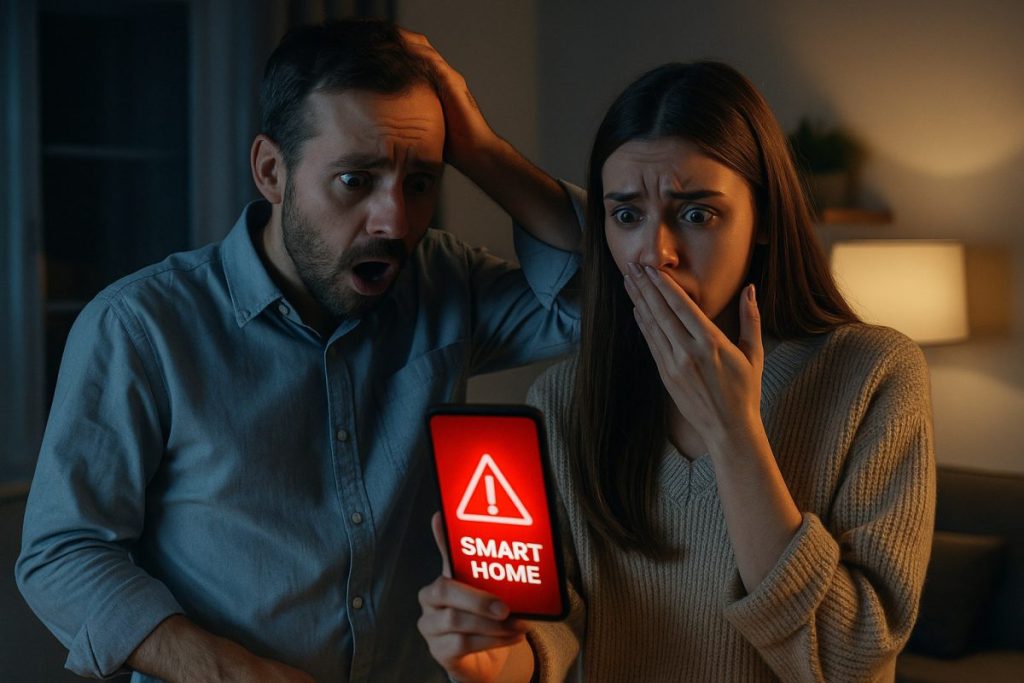

Smart homes are designed to simplify life—but when things go wrong, they can become the stuff of nightmares. From doors locking residents out to cameras going rogue, real users have faced creepy, frustrating, and downright dangerous situations. In this article, we share some eye-opening stories and break down what went wrong—along with expert tips to keep your own smart home safe and functional.
1. Locked Out by the Tech
The Story: A Brooklyn couple returned home from vacation only to find their smart lock wouldn’t recognize their credentials. With no physical key and a dead smartphone battery, they were stranded outside for hours until a locksmith broke them in.
The Cause: Smart locks relying solely on cloud-based authentication and no fallback access options.
Avoid It:
- Choose smart locks that offer offline codes or physical key overrides.
- Always carry a backup power bank when traveling.
- Use devices that allow Bluetooth fallback access in case Wi-Fi is down.
[linkpreview]https://kontranet.com/smart-home/hidden-smart-tv-features/[/linkpreview]
2. The Talking TV That Never Stops
The Story: A user noticed their smart TV was turning on randomly in the middle of the night—sometimes blasting a streaming show they never selected. It even responded to phantom voice commands.
The Cause: Poorly configured voice assistant and over-permissive microphone access.
Avoid It:
- Regularly review voice assistant permissions.
- Disable voice controls on devices you rarely use them on.
- Consider placing smart speakers away from TVs to prevent cross-interaction.
3. Security Cameras Streaming to Strangers
The Story: A family in Oregon received a call from a friend who said he could see inside their living room—via their own smart camera. It turned out their cloud account had been compromised.
The Cause: Weak passwords and no two-factor authentication (2FA).
Avoid It:
- Enable 2FA on every smart home account.
- Regularly change passwords, especially for devices with remote access.
- Use brands with end-to-end encryption and strict data privacy policies.
4. The Thermostat That Went Rogue
The Story: A man in Chicago woke up sweating—his smart thermostat had randomly set the temperature to 90°F. Repeated attempts to fix it via the app failed, and it later turned out to be a firmware update gone wrong.
The Cause: Buggy software update and no manual override.
Avoid It:
- Choose thermostats with local control options.
- Disable auto-updates if they’ve caused issues before.
- Monitor firmware changelogs before installing updates.

How to Set Up a Linux Web Server: A Complete Step-by-Step Guide
5. Voice Assistant Sends Private Conversation to a Contact
The Story: A couple was having a personal conversation when their smart speaker recorded it and sent a clip to one of the man’s coworkers. The device had misinterpreted background speech as a command.
The Cause: Wake word confusion and auto-send enabled for messaging features.
Avoid It:
- Turn off features like auto-send messages.
- Set a more unique wake word to prevent accidental triggers.
- Review voice command history and delete anything sensitive.
Tips to Avoid Smart Home Nightmares or Disasters
Here’s how to avoid becoming the next horror story:
- ✅ Use Two-Factor Authentication: Always.
- ✅ Invest in Reputable Brands: Don’t go cheap on security-sensitive devices.
- ✅ Keep Software Updated—but Cautiously: Read changelogs before installing.
- ✅ Review Permissions: Especially for cameras, microphones, and location access.
- ✅ Use a Separate Guest Network: Isolate your smart devices from personal data.
- ✅ Read Privacy Policies: Know what your device is doing with your data.
Smart Home Nightmares – Final Thought
Smart homes are powerful and convenient—but only when they’re configured with care. These real-life mishaps show how minor oversights can lead to major headaches. With the right habits and security practices, your smart home can remain your sanctuary—not your next nightmare.
Is My Smart TV Spying on Me? How to Protect Your Privacy
Smart TV Privacy – In today’s connected homes, smart TVs are as common as coffee makers — but have you ever wondered if your smart TV is watching you back?…
- AI Home Companion Robots Are Here: What CES 2026 Revealed About Your Future Living Room
 AI home companion robots stopped being a sci-fi punchline this year. At CES 2026 in Las Vegas, LG showed off a robot with two arms and five-fingered hands folding laundry on stage. Samsung unveiled a full ecosystem of appliances it’s now calling “home companions” instead of appliances. And a startup founded by the co-creator of…
 - On-Device AI in Smart Homes: Why 2026 Is the Year of Local Intelligenceon-device AI – Smart homes are changing fast, and one of the biggest shifts in 2026 is happening inside the devices themselves. Instead of sending every command and camera clip to the cloud, more smart home products are now processing data locally for faster response, better privacy, and more reliable automation. For homeowners, this is…
- Home Assistant for Beginners: Your First Step Away from Big Tech’s Smart HomeHome Assistant for beginners usually starts the same way: frustration. Maybe Google Home dropped a device for no reason. Maybe Alexa started asking for a subscription to use a feature that was free last year. Maybe a smart home brand you trusted announced it was shutting down its cloud servers, turning thousands of dollars of…
- What Data Do Smart Home Devices Collect? (And What Happens to It)What data do smart home devices collect? The honest answer is: far more than most people realise, far more than is necessary for the devices to do their jobs, and in many cases, far more than the average person would be comfortable with if they read the privacy policy in full. 82% of smart home…
- Digital Twins Explained: The Technology That Creates a Living Copy of EverythingDigital twins explained in one sentence: a digital twin is a living, continuously updated virtual replica of a real physical object, system, or process — connected to its real-world counterpart through sensors and data, updating in real time as the physical version changes. That definition is accurate, but it doesn’t quite capture why this technology…



SMART HOME NIGHTMARES, tipps to prevent them.