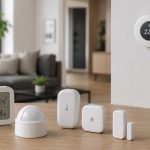

Smart devices bring incredible convenience to our lives, but they also introduce potential security risks. Hackers are increasingly targeting IoT devices, exploiting vulnerabilities to gain access to personal data or control over connected systems. Protecting your smart home doesn’t have to be complicated. Here are five practical tips to secure your smart devices and safeguard your privacy.
1. Use Strong, Unique Passwords
Many smart devices come with default passwords that are easily guessed or found online. To secure smart devices:
- Create strong passwords using a mix of uppercase letters, lowercase letters, numbers, and special characters.
- Avoid reusing passwords across multiple devices or accounts.
- Use a password manager to generate and store unique passwords for each device.
Pro Tip: Change the default password on every new device immediately after setup.
2. Enable Two-Factor Authentication (2FA)
Two-factor authentication adds an extra layer of security by requiring a second verification step in addition to your password.
- Look for devices and apps that support 2FA and enable it wherever possible.
- Common methods include receiving a code via text or email, or using an authentication app like Google Authenticator or Authy.
Why It Matters: Even if your password is compromised, 2FA can prevent unauthorized access.
3. Keep Firmware and Software Updated
Manufacturers frequently release updates to fix security vulnerabilities and improve device performance.
- Regularly check for firmware updates on your smart devices and install them promptly.
- Enable automatic updates if the feature is available.
Warning: Outdated software can leave your devices exposed to known exploits.
4. Secure Your Wi-Fi Network
Your Wi-Fi network is the gateway to all your connected devices. Take these steps to secure it:
- Use a strong, unique password for your Wi-Fi network.
- Enable WPA3 encryption, or WPA2 if WPA3 isn’t available.
- Set up a guest network for visitors to keep your main network private.
Extra Measure: Disable SSID broadcasting to make your network less visible to outsiders.
5. Limit Device Permissions and Connectivity
Many smart devices request permissions and features that may not be necessary for their operation.
- Review and restrict app permissions to only what is essential.
- Disable features like remote access or voice control if you don’t use them.
- Disconnect devices from the internet when not in use.
Example: A smart TV may not need microphone or camera access if you don’t use voice commands or video calls.
Securing your smart devices doesn’t require technical expertise—just a proactive approach. By following these five tips, you can protect your devices from cyber threats and enjoy the benefits of a smart home without compromising your privacy or security. Remember, a secure smart home is a smart investment in your peace of mind.
- What Data Do Smart Home Devices Collect? (And What Happens to It)
 What data do smart home devices collect? The honest answer is: far more than most people realise, far more than is necessary for the devices to do their jobs, and in many cases, far more than the average person would be comfortable with if they read the privacy policy in full. 82% of smart home…
 - Digital Twins Explained: The Technology That Creates a Living Copy of EverythingDigital twins explained in one sentence: a digital twin is a living, continuously updated virtual replica of a real physical object, system, or process — connected to its real-world counterpart through sensors and data, updating in real time as the physical version changes. That definition is accurate, but it doesn’t quite capture why this technology…
- IoT Sensors Explained: What They Are, How They Work, and Where They’re Already in Your HomeIoT sensors explained simply: every smart device you own — your thermostat, your fitness tracker, your doorbell camera, your robot vacuum — relies on at least one sensor to do its job. Sensors are the reason smart devices are smart. Without them, a connected device is just a device. Yet most explanations of IoT sensors…
- Matter 1.4 vs Zigbee vs Z-Wave: Best Smart Home Protocol for US Homes in 2026By KontraNet IoT Hub | Last Updated: June 3, 2026 | Reading time: 11 min Quick Pick for US Homeowners in 2026 Use this table if you just need the answer fast: Your Situation Best Protocol in 2026 Why It Wins for US Homes Apple + Google + Alexa household Matter 1.4 over Thread All 3 ecosystems control the…
- Best Cellular IoT Data Plans for US Makers in 2026: Hologram vs Twilio vs Soracom TestedBy KontraNet IoT Hub | Last Updated: June 1, 2026 | Reading time: 9 min Quick Pick for US Makers in 2026 Use this table if you just need the answer fast: Your Project Type Best IoT SIM in 2026 Why It Wins for US Makers 1-10 devices, prototyping Hologram IoT SIM Free 1MB/month per device forever. Pay-as-you-go after.…