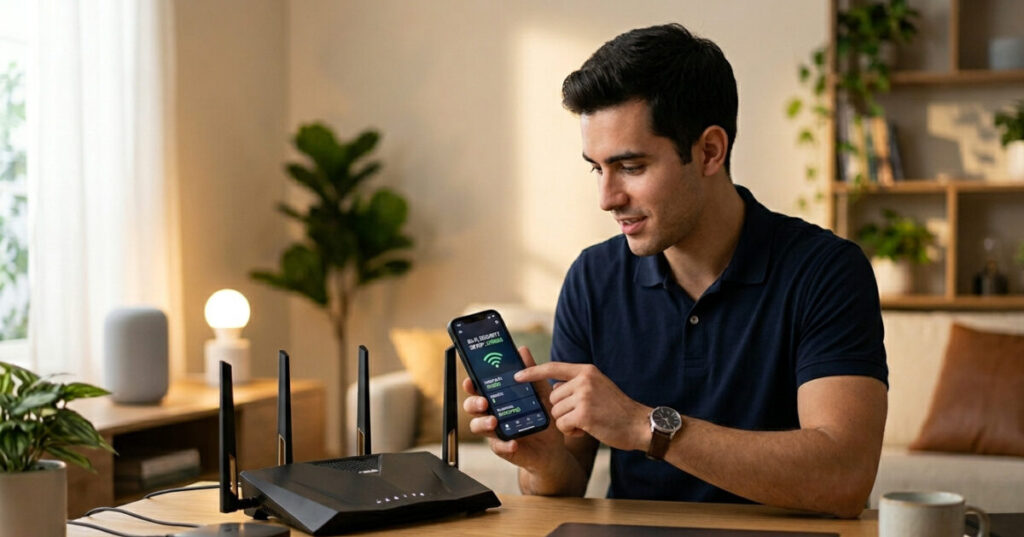

So you’ve just set up a shiny new smart speaker, a Wi-Fi doorbell, maybe a connected thermostat. Life is convenient. But here’s the uncomfortable truth: every device you plug into your home network is also a potential door for hackers to walk through.
The good news? You don’t need to be a tech expert to lock those doors. This guide will walk you through exactly how to secure smart home devices — step by step, in plain English. No jargon, no panic, just practical fixes you can do today.
Why Securing Your Smart Home Devices Actually Matters
Most people assume their home network is invisible to the outside world. It isn’t.
Connected devices — smart TVs, cameras, thermostats, voice assistants, even smart light bulbs — are constantly sending and receiving data. Many of them ship with weak default passwords, outdated firmware, and little to no built-in security. For a hacker, a forgotten smart plug can be just as useful as a cracked laptop.
According to recent cybersecurity research, the average home now contains more than 20 connected devices. That’s 20 potential entry points. And unlike your phone or laptop, most IoT devices never remind you to update them or change their password.
The risk is real: hijacked security cameras, baby monitors accessed by strangers, smart locks remotely unlocked. These aren’t just headlines — they happen to regular people with ordinary homes.
The good news is that securing your smart home doesn’t require expensive software or advanced knowledge. It requires the right habits.
Step 1: Start With Your Router — It’s the Front Door
Before you touch a single smart device, secure your router. Every piece of data passing between your devices and the internet goes through it. If your router is compromised, everything connected to it is too.
Here’s what to do:
- Change the default router name (SSID). Default names often reveal the router’s make and model, which hackers can use to look up known vulnerabilities. Pick a name that gives nothing away — and definitely don’t use your address or surname.
- Set a strong, unique Wi-Fi password. Use a mix of upper and lowercase letters, numbers, and symbols. Avoid anything obvious. A random passphrase like “PurpleRain!Coffee9” is far stronger than “Smith2024.”
- Enable WPA3 encryption if your router supports it. If not, WPA2 is the minimum acceptable standard. Avoid WEP — it’s outdated and easily cracked.
- Update your router’s firmware. Log into your router’s admin panel and check for firmware updates. Many routers let you enable automatic updates — turn this on if available.
This single step will dramatically improve your smart home security before you’ve done anything else.
Step 2: Create a Separate Network for Your Smart Devices
This is one of the most effective IoT security tips that most beginners skip — and it’s simpler than it sounds.
Most modern routers allow you to create a guest network — a separate Wi-Fi network that’s isolated from your main one. The idea is to put all your smart home devices (TV, thermostat, cameras, smart plugs) on this secondary network, while keeping your laptop, phone, and tablet on the main one.
Why does this matter? If a hacker compromises your smart fridge (yes, really), they’re stuck on the isolated guest network. They can’t reach your laptop with your banking details, your work emails, or your personal files. You’ve contained the damage.
Setting up a guest network takes about five minutes in your router’s settings. Look for “Guest Network” or “Secondary Network” in the admin panel. Give it a strong password — different from your main network.
Step 3: Change Default Passwords on Every Device
This is the single most ignored IoT security step — and the one hackers rely on most.
When a smart device ships from the factory, it comes with a default username and password. Manufacturers often use the same defaults across thousands of units. Websites even publish these default credentials publicly. If you haven’t changed them, anyone who knows your device’s brand can potentially log straight in.
For every smart device you own:
- Find the login settings (usually through the companion app or a web browser pointed at the device’s local IP address)
- Change the username if possible
- Set a strong, unique password — don’t reuse passwords from other accounts
- Write them down somewhere safe, or use a password manager
Yes, this is tedious if you have a dozen devices. Do it anyway. This one habit closes more vulnerabilities than almost anything else.
Step 4: Enable Two-Factor Authentication (2FA) Where Possible
Two-factor authentication adds a second layer of verification when you log into a device or its app — usually a code sent to your phone. Even if a hacker gets hold of your password, they still can’t get in without that second factor.
Many smart home apps now support 2FA: Google Home, Amazon Alexa, Ring, Nest, and others. Go into the account settings of each app and enable it if the option is there.
It takes two minutes to set up and adds a significant layer of protection to your smart home security.
Step 5: Keep Firmware and App Updates Current
Software updates exist for a reason. Manufacturers regularly patch security vulnerabilities once they’re discovered — but those patches only protect you if you actually install them.
Most smart devices update through their companion app. Go through each app and check for available updates. Better yet, enable automatic updates wherever possible so you’re protected without having to remember.
Also check the device itself — some cameras, routers, and hubs have separate firmware update processes through a web interface or admin panel.
A device that stops receiving updates is a device that stops being secure. If a manufacturer announces end-of-life for a product (meaning no more security patches), take that seriously. An unpatched smart doorbell is a liability, not an asset.
Step 6: Disable Features You Don’t Use
Smart devices are packed with features, and many of them are enabled by default — even if you never use them.
Remote access, Bluetooth, voice activation, UPnP (Universal Plug and Play) — each of these is a potential attack surface. If you only control your smart devices when you’re at home on your own Wi-Fi, turn off remote access. If your smart TV has a microphone you never use, disable it.
Go through the settings of each device and ask: “Do I actually use this?” If the answer is no, turn it off. Fewer active features means fewer ways in for an attacker.
UPnP is worth a special mention — it automatically opens ports on your router to let devices communicate more easily, but it also makes your network more exposed. Many security experts recommend disabling UPnP in your router settings entirely.
Step 7: Buy Smart — Research Before You Purchase
Not all smart home devices are created equal when it comes to security. Some manufacturers treat security as an afterthought; others build it in from the start.
Before buying a new device, ask:
- Does the manufacturer offer regular firmware updates? Check their website for a changelog or update history.
- How long will the device be supported? A device abandoned by its manufacturer two years after launch is a security risk waiting to happen.
- Has the brand had any notable security breaches? A quick search can tell you a lot.
- Does it require an account with a third party? Some cheaper devices send your data to servers in countries with little data protection regulation.
Buying from reputable brands with a track record of supporting their products is one of the smartest long-term IoT security decisions you can make.
Step 8: Audit Your Devices Regularly
Smart home security isn’t a one-time task — it’s an ongoing habit.
Every few months, log into your router’s admin panel and look at the list of connected devices. Do you recognise all of them? If something looks unfamiliar, investigate. It could be a neighbour who guessed your password, or a device you forgot was still connected.
Also consider whether you still need every device that’s plugged in. An old smart speaker you no longer use, sitting in a drawer but still connected to your network, is an unnecessary risk. Disconnect and factory reset devices you’re no longer using.
Quick Reference: Smart Home Security Checklist
Here’s a summary you can bookmark and work through:
- Change your router’s default name and password
- Enable WPA3 (or at minimum WPA2) encryption
- Update your router’s firmware
- Set up a separate guest network for IoT devices
- Change default passwords on all smart devices
- Enable 2FA on all smart home apps that support it
- Enable automatic firmware updates on all devices
- Disable unused features (remote access, Bluetooth, UPnP, unused mics)
- Research security reputation before buying new devices
- Audit connected devices every 3 months
Final Thoughts
Learning how to secure smart home devices doesn’t require a degree in cybersecurity. It requires awareness and a few good habits applied consistently. The steps above — starting with your router, separating your networks, and keeping everything updated — will put you ahead of the vast majority of smart home users.
Your home should be a place of comfort and convenience, not a vulnerability. Take an hour this weekend, work through this checklist, and you’ll sleep a little better knowing your connected home is a lot harder to hack.

Free IPTV playlist – tested, working
- What Data Do Smart Home Devices Collect? (And What Happens to It)
 What data do smart home devices collect? The honest answer is: far more than most people realise, far more than is necessary for the devices to do their jobs, and in many cases, far more than the average person would be comfortable with if they read the privacy policy in full. 82% of smart home…
 - Digital Twins Explained: The Technology That Creates a Living Copy of EverythingDigital twins explained in one sentence: a digital twin is a living, continuously updated virtual replica of a real physical object, system, or process — connected to its real-world counterpart through sensors and data, updating in real time as the physical version changes. That definition is accurate, but it doesn’t quite capture why this technology…
- IoT Sensors Explained: What They Are, How They Work, and Where They’re Already in Your HomeIoT sensors explained simply: every smart device you own — your thermostat, your fitness tracker, your doorbell camera, your robot vacuum — relies on at least one sensor to do its job. Sensors are the reason smart devices are smart. Without them, a connected device is just a device. Yet most explanations of IoT sensors…
- Matter 1.4 vs Zigbee vs Z-Wave: Best Smart Home Protocol for US Homes in 2026By KontraNet IoT Hub | Last Updated: June 3, 2026 | Reading time: 11 min Quick Pick for US Homeowners in 2026 Use this table if you just need the answer fast: Your Situation Best Protocol in 2026 Why It Wins for US Homes Apple + Google + Alexa household Matter 1.4 over Thread All 3 ecosystems control the…
- Best Cellular IoT Data Plans for US Makers in 2026: Hologram vs Twilio vs Soracom TestedBy KontraNet IoT Hub | Last Updated: June 1, 2026 | Reading time: 9 min Quick Pick for US Makers in 2026 Use this table if you just need the answer fast: Your Project Type Best IoT SIM in 2026 Why It Wins for US Makers 1-10 devices, prototyping Hologram IoT SIM Free 1MB/month per device forever. Pay-as-you-go after.…





Linux for Beginners: Complete 2026 Guide (Install, Basics, Tips)