
Quick Overview
- Smart home automation ideas for beginners
- Smart home automation doesn’t have to be complicated
- Beginners can start with simple, practical setups
- Automation saves time, energy, and effort
- Most setups take less than 10 minutes
Getting started with smart home technology is exciting — but automation is where things truly become useful.
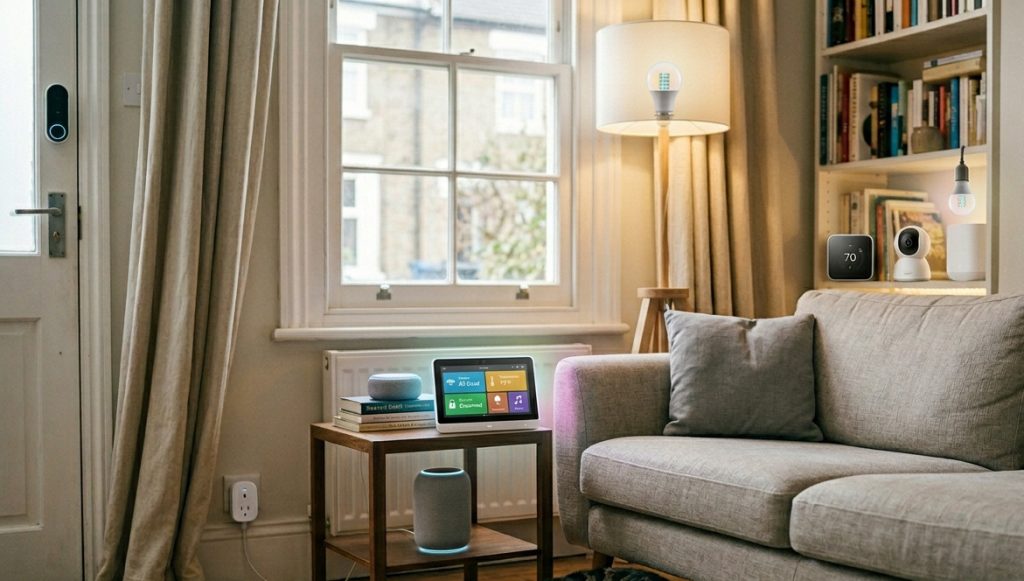
Instead of manually controlling devices, automation allows your home to respond automatically based on time, location, or activity. And the best part? You don’t need advanced knowledge or expensive equipment to get started.
In this guide, we’ll explore the best smart home automation ideas for beginners, focusing on simple setups that actually make a difference in everyday life.
What Is Smart Home Automation?
Smart home automation means your devices operate automatically based on predefined rules.
Instead of:
- turning lights on manually
You can:
- have them turn on when you enter a room
- or at a specific time
Automation uses:
- schedules
- sensors
- triggers (like motion or location)
👉 The goal is convenience and efficiency.
1. Automatic Lighting at Sunset
How it works
Lights turn on automatically when the sun goes down.
Why it’s useful
- no need to manually switch lights
- improves comfort and security
Setup idea
- use smart bulbs
- set a schedule based on sunset
👉 One of the easiest smart home automation ideas for beginners
2. Lights Turn Off When You Leave Home
How it works
Your lights switch off automatically when you leave.
Why it’s useful
- saves electricity
- prevents forgetting lights
Setup idea
- use location-based automation
- or a “leave home” button in your app
3. Morning Routine Automation
How it works
Multiple devices activate when you wake up.
Example setup
- lights turn on gradually
- coffee machine starts
- smart speaker plays news
👉 A simple but powerful beginner home automation setup
4. Night Mode (Everything Turns Off)
How it works
At a specific time:
- lights turn off
- devices shut down
Why it’s useful
- saves energy
- improves sleep routine
5. Smart Plug Timer for Appliances
How it works
Devices turn off after a set time.
Example
- heater runs for 1 hour then shuts off
- charger turns off overnight
👉 Great for reducing wasted electricity
6. Motion-Activated Lighting
How it works
Lights turn on when motion is detected.
Why it’s useful
- perfect for hallways and bathrooms
- no need to touch switches
7. Away Mode (Simulate Presence)
How it works
Lights turn on/off randomly when you’re away.
Why it’s useful
- improves home security
- makes it look like someone is home
8. Smart Thermostat Scheduling
How it works
Temperature adjusts based on your routine.
Example
- lower heating during the day
- warm home before arrival
👉 One of the most effective home automation ideas for saving money
9. Energy-Saving Automation
How it works
Devices turn off automatically when not needed.
Example
- turn off TV and devices at midnight
- disable standby electronics
10. One-Tap “All Off” Button
How it works
A single button turns everything off.
Why it’s useful
- simple control
- prevents mistakes
Comparison Table
| Automation | Difficulty | Impact | Best For |
|---|---|---|---|
| Sunset Lighting | Easy | Medium | Comfort |
| Leave Home Mode | Easy | High | Energy saving |
| Morning Routine | Medium | High | Daily routine |
| Night Mode | Easy | High | Energy saving |
| Motion Lighting | Medium | Medium | Convenience |
| Away Mode | Medium | High | Security |
Best Setup for Beginners (Simple Plan)
Start with:
Step 1:
- smart plug
- smart light
Step 2:
- create 1–2 automations
Step 3:
- expand gradually
👉 Keep it simple at first.
Common Mistakes to Avoid
❌ Overcomplicating automation
Start small and build gradually.
❌ Not testing routines
Always test automation before relying on it.
❌ Using too many apps
Try to keep devices in one ecosystem.
❌ Ignoring real-life use
Focus on what actually helps daily life.
FAQ
What is the easiest smart home automation for beginners?
Automatic lighting and scheduled device control are the easiest to set up.
Do I need a hub for automation?
Not necessarily. Many automations work with Wi-Fi devices.
How many automations should I start with?
Start with 2–3 simple automations.
Can automation save electricity?
Yes, especially when devices turn off automatically.
Is smart home automation hard to set up?
No, most beginner setups are quick and simple.
Making Your Home Work for You
Smart home automation doesn’t need to be complex to be effective. Even simple setups can save time, reduce energy usage, and make daily routines smoother.
The key is to start with practical ideas, learn how automation works, and expand gradually. Once you experience the convenience, it becomes clear why automation is one of the most valuable parts of a smart home.
Can AI Actually Lower Your Electric Bill? A Practical Guide to DIY Solar Planning
- Smart Home Automation Ideas for Beginners (2026): 10 Easy Setups That Actually Work
 Quick Overview Getting started with smart home technology is exciting — but automation is where things truly become useful. Instead of manually controlling devices, automation allows your home to respond automatically based on time, location, or activity. And the best part? You don’t need advanced knowledge or expensive equipment to get started. In this guide,…
 - Best Smart Home Devices for Beginners (2026): Start Simple, Build SmartSetting up a smart home sounds more complicated than it is. Ask anyone who’s spent an afternoon reading about Zigbee protocols and Z-Wave mesh networks, and they’ll tell you: it’s easy to disappear down a rabbit hole before you’ve bought a single thing. The smarter move is to ignore most of that — at least…
- How to Set Up Smart Lights Without a Hub (Beginner Guide)Smart lighting is often the first step into building a smart home — but many beginners get stuck on one question: Do you really need a hub to get started? The short answer is no. While some smart lighting systems require a hub, many modern smart bulbs connect directly to your Wi-Fi network. That means…
- Zigbee vs Wi-Fi: Which Is Better for Smart Homes in 2026?Zigbee vs Wi-Fi – If you’re building a smart home, one of the first decisions you’ll run into is choosing how your devices should connect. Most beginners start with Wi-Fi because it’s familiar. But as soon as you add more devices, you’ll start hearing about Zigbee — and that’s where things get confusing. So which…
- Smart Plug Setup Guide (2026): How to Install, Automate, and Save EnergyQuick Overview of Smart Plug Setup If you’re looking for the simplest way to start building a smart home, a smart plug is the perfect entry point. You don’t need to rewire anything. You don’t need special tools. And you don’t need technical knowledge. With a single smart plug, you can: In this guide, you’ll…