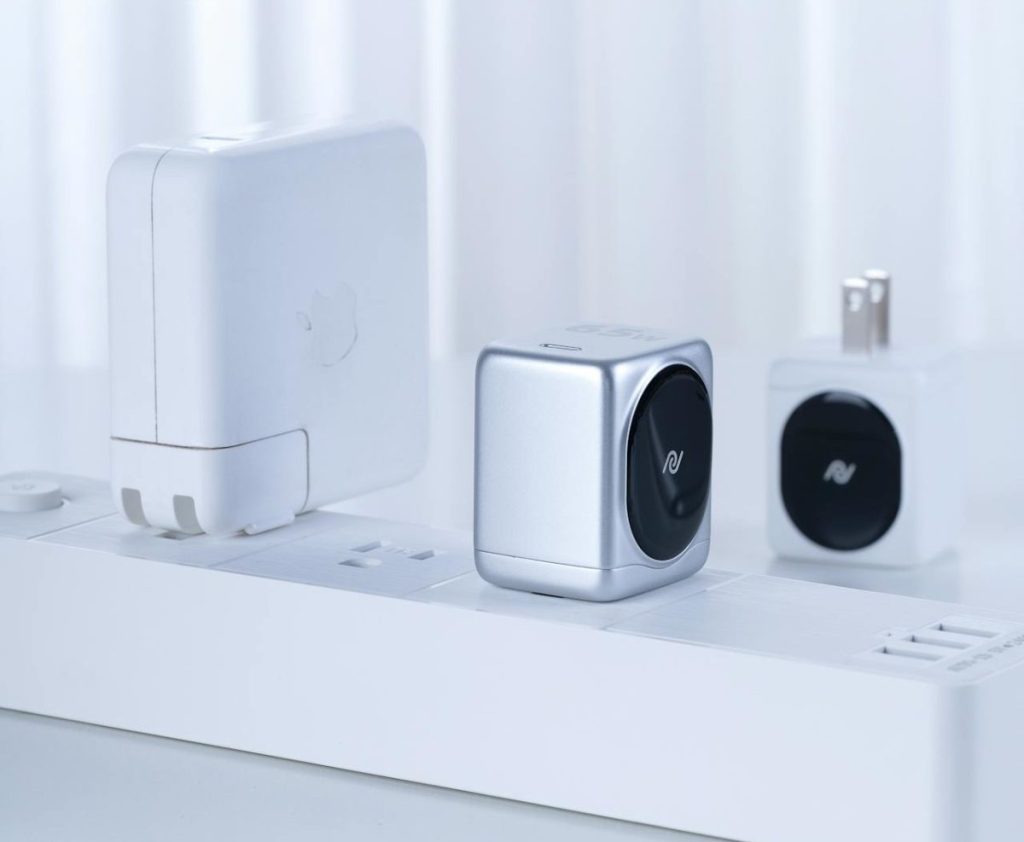

Smart homes are evolving fast, packed with intelligent devices from thermostats to voice assistants. But one of the simplest — and most overlooked — tools of automation is the humble smart plug. Despite its small size and affordable price, this gadget can quietly transform how your home operates.
What Is a Smart Plug?
A smart plug is a compact device that plugs into a standard wall outlet. Once installed, it allows you to control whatever is plugged into it — lamps, coffee makers, heaters, and more — using your smartphone, voice assistants, or automation schedules.
Why Smart Plugs Matter
While it may not seem revolutionary at first glance, a smart plug is a gateway to automating everyday appliances. Here’s why they matter:
1. Affordability and Accessibility
Smart plugs are often the most affordable way to enter the world of smart homes. For under $20, you can start automating lights, coffee machines, fans, or even Christmas lights without replacing your existing appliances.
2. Easy Installation
No wiring or technical skills needed. Just plug it in, connect it to your home Wi-Fi, and pair it with an app. Within minutes, you’re up and running.
3. Remote Control and Scheduling
Turn devices on or off remotely. Forgot to turn off the iron? Do it from your phone. Want your living room lamp to turn on at sunset? Set a schedule.
4. Energy Monitoring and Savings
Some smart plugs offer energy monitoring, showing how much electricity an appliance uses. This can help reduce your energy bill by identifying wasteful habits or vampire devices (things that draw power even when off).
5. Voice Assistant Integration
Most smart plugs work with Amazon Alexa, Google Assistant, or Apple HomeKit. You can simply say, “Hey Google, turn off the fan,” and it responds instantly.
[linkpreview]https://kontranet.com/diy-iot-projects/diy-smart-plug-installation-automate-your-home-in-minutes/[/linkpreview]
Creative Ways to Use Smart Plugs
- Morning Routine: Auto-start your coffee maker at 7:00 AM.
- Safety: Turn off the curling iron remotely.
- Security: Randomize lights when you’re away to simulate someone being home.
- Holiday Decor: Automate Christmas lights without crawling under the tree.
- Limit Kids’ Screen Time: Set the TV to turn off after bedtime.
Things to Watch Out For
- Wi-Fi Dependency: Most smart plugs rely on Wi-Fi. If your network is unstable, so is your automation.
- App Compatibility: Stick with well-known brands to ensure good app support and updates.
- Power Ratings: Not all plugs are rated for high-wattage appliances like space heaters or air conditioners.
Choosing the Right Smart Plug
Look for these features:
- Energy Monitoring
- Compact Size (especially if you’re using it behind furniture)
- Voice Assistant Support
- Scheduling Capabilities
- Away Mode (random on/off patterns)
Final Thoughts
Smart plugs may not be flashy, but they’re one of the most effective ways to begin building a smart home. They add convenience, efficiency, and even a layer of safety — all for the price of a pizza.
Don’t underestimate this tiny powerhouse. If you’re just starting with home automation, or looking to get more from your existing setup, smart plugs are where you should plug in first.
FAQ
Q: Can smart plugs save energy?
A: Yes. With scheduling and monitoring features, smart plugs can reduce standby power usage and ensure devices aren’t running unnecessarily.
Q: Are smart plugs safe?
A: When used properly and with devices within their power limits, smart plugs are very safe. Choose models with safety certifications.
Q: Do I need a smart home hub?
A: Most modern smart plugs work without a hub and connect directly to Wi-Fi.
Q: Can I use smart plugs outdoors?
A: Yes, but you need weatherproof models specifically designed for outdoor use.
Explore more beginner-friendly smart home tips in our Smart Home Basics section or learn how smart sensors can elevate your home automation experience.
- Digital Twins Explained: The Technology That Creates a Living Copy of Everything
 Digital twins explained in one sentence: a digital twin is a living, continuously updated virtual replica of a real physical object, system, or process — connected to its real-world counterpart through sensors and data, updating in real time as the physical version changes. That definition is accurate, but it doesn’t quite capture why this technology…
 - IoT Sensors Explained: What They Are, How They Work, and Where They’re Already in Your HomeIoT sensors explained simply: every smart device you own — your thermostat, your fitness tracker, your doorbell camera, your robot vacuum — relies on at least one sensor to do its job. Sensors are the reason smart devices are smart. Without them, a connected device is just a device. Yet most explanations of IoT sensors…
- Matter 1.4 vs Zigbee vs Z-Wave: Best Smart Home Protocol for US Homes in 2026By KontraNet IoT Hub | Last Updated: June 3, 2026 | Reading time: 11 min Quick Pick for US Homeowners in 2026 Use this table if you just need the answer fast: Your Situation Best Protocol in 2026 Why It Wins for US Homes Apple + Google + Alexa household Matter 1.4 over Thread All 3 ecosystems control the…
- Best Cellular IoT Data Plans for US Makers in 2026: Hologram vs Twilio vs Soracom TestedBy KontraNet IoT Hub | Last Updated: June 1, 2026 | Reading time: 9 min Quick Pick for US Makers in 2026 Use this table if you just need the answer fast: Your Project Type Best IoT SIM in 2026 Why It Wins for US Makers 1-10 devices, prototyping Hologram IoT SIM Free 1MB/month per device forever. Pay-as-you-go after.…
- Smart Home Energy Saving: How to Cut Your Electricity Bill in 2026Smart home energy saving is one of the most effective ways to cut your electricity costs in 2026 — and the results are measurable. The average American household spends between $1,500 and $2,000 on electricity every year. Most of that money goes to heating, cooling, and appliances running longer than they need to — and…