
The Internet of Things (IoT) has revolutionized how we interact with the world around us, offering endless possibilities for innovation. If you’re new to IoT, diving into a project might seem intimidating at first. However, you don’t need to build a complex smart city to get started! By starting small, you can develop practical skills and gradually scale up your ambitions. Here are some beginner-friendly IoT project ideas that can ignite your creativity and help you take the first step into this exciting field.
1. Smart Plant Watering System
Do you always forget to water your plants? Or perhaps you’re worried about overwatering them? A smart plant watering system is a simple yet effective IoT project that can save your plants while teaching you the basics of sensors and automation.
What You’ll Need:
- Soil moisture sensor
- Arduino or Raspberry Pi
- Water pump and relay
- A small container for water
How It Works:
The soil moisture sensor monitors the soil’s moisture level. If it falls below a certain threshold, the system triggers the water pump to hydrate your plant. You can even connect the setup to an app or email alert for remote monitoring.
Learning Outcome:
This project helps you understand how sensors collect data and trigger automated actions—a fundamental principle of IoT.
2. IoT-Based Home Temperature Monitor
Keep an eye on the temperature of your home or a specific room with a DIY temperature monitoring system.
What You’ll Need:
- DHT11 or DHT22 temperature and humidity sensor
- Wi-Fi-enabled microcontroller (like ESP8266 or ESP32)
- IoT dashboard platform (like Blynk or ThingSpeak)
How It Works:
The sensor collects temperature and humidity data, which is sent to your chosen IoT platform via Wi-Fi. You can view real-time data on your smartphone or computer and even set alerts if the temperature goes beyond a specific range.
Learning Outcome:
This project introduces you to data logging and visualization—key components in IoT development.
3. Motion-Activated Smart Lights
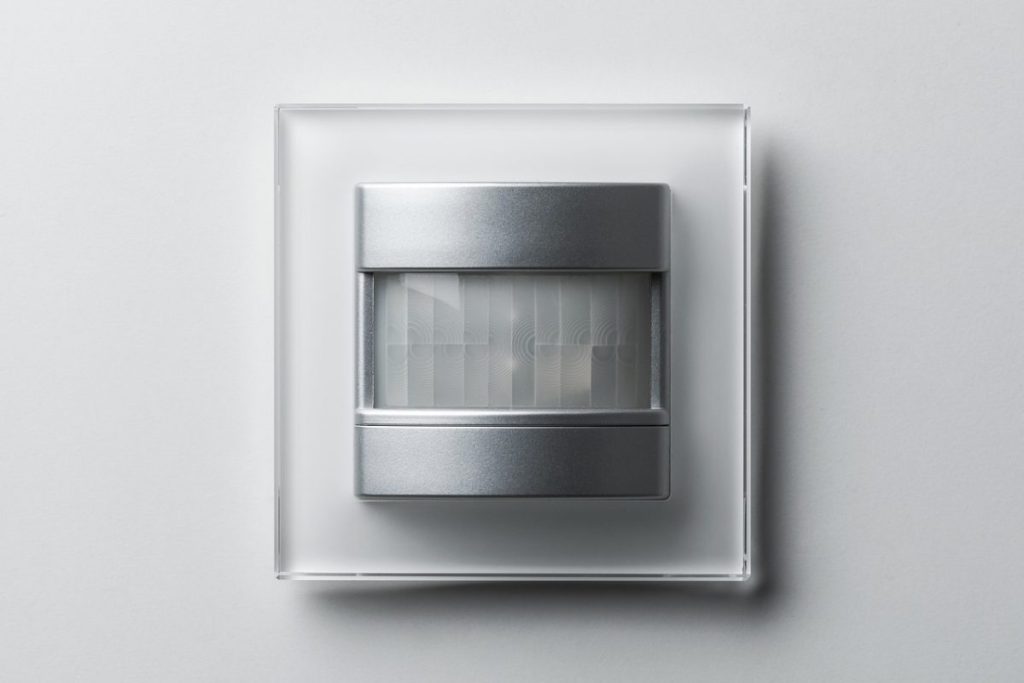
Create a motion-activated smart lighting system to light up rooms automatically when someone enters and turn them off when the room is empty.
What You’ll Need:
- PIR (Passive Infrared) motion sensor
- Wi-Fi-enabled microcontroller
- Relay module to control the light bulb
How It Works:
The motion sensor detects movement and triggers the relay to turn on the lights. With a bit of coding, you can add a delay timer to switch the lights off after a set period of inactivity.
Learning Outcome:
This project teaches you how to integrate motion sensors into IoT applications and automate everyday tasks.
4. Smart Door Lock System
Secure your home with a smart lock that you can control from your smartphone or computer.
What You’ll Need:
- Servo motor or electronic door lock
- RFID reader or keypad for local access
- Wi-Fi-enabled microcontroller
How It Works:
Using an RFID card or a custom mobile app, you can lock and unlock your door remotely. Combine this with a motion sensor or camera for added security.
Learning Outcome:
This project dives into smart security systems and basic home automation concepts, including hardware-software integration.
5. IoT Weather Station
A DIY weather station lets you track environmental data like temperature, humidity, and pressure.
What You’ll Need:
- BMP180 or BME280 (temperature, pressure, and humidity sensor)
- Wi-Fi-enabled microcontroller
- IoT dashboard (like Adafruit IO or Node-RED)
How It Works:
The sensor collects environmental data, which is sent to the IoT platform for display. You can visualize trends, create alerts, and even share data with friends.
Learning Outcome:
This project focuses on real-time data collection, transmission, and visualization.
6. Smart Energy Meter
Monitor your household energy usage with a smart energy meter and make your home more energy-efficient.
What You’ll Need:
- Current sensor (like ACS712)
- Wi-Fi-enabled microcontroller
- IoT platform for data analysis
How It Works:
The current sensor measures electricity consumption, and the data is transmitted to an IoT dashboard. You can set alerts for excessive usage or analyze trends to reduce energy waste.
Learning Outcome:
This project combines hardware measurements with IoT data logging, offering insights into energy management.
7. IoT Pet Feeder
Ensure your furry friend never misses a meal with an automated pet feeder you can control remotely.
What You’ll Need:
- Servo motor or stepper motor for dispensing food
- Wi-Fi-enabled microcontroller
- RTC (Real-Time Clock) module for scheduled feeding
How It Works:
Using an app or web interface, you can schedule feeding times or manually trigger the feeder. Add a camera to monitor your pet while you’re away.
Learning Outcome:
This project gives you experience in creating practical, real-world IoT applications.
8. Smart Garbage Bin
Make waste management smarter with a sensor-enabled garbage bin that notifies you when it’s full.
What You’ll Need:
- Ultrasonic sensor
- Wi-Fi-enabled microcontroller
- IoT dashboard or mobile app
How It Works:
The ultrasonic sensor detects the garbage level in the bin. When it reaches a certain height, the system sends a notification to your phone, reminding you to empty it.
Learning Outcome:
This project highlights IoT’s role in smart city solutions and resource management.
9. Home Automation with Voice Control
Integrate voice assistants like Amazon Alexa or Google Assistant into your home automation projects.
What You’ll Need:
- Smart plugs or relays
- Wi-Fi-enabled microcontroller
- Integration with Alexa or Google Assistant API
How It Works:
Control lights, fans, or other appliances using voice commands. This project combines IoT with natural language processing for a seamless user experience.
Learning Outcome:
Learn about IoT ecosystem integrations with popular platforms.
10. Air Quality Monitoring System
Keep track of your indoor air quality with a simple monitoring system.
What You’ll Need:
- MQ-135 air quality sensor
- Wi-Fi-enabled microcontroller
- IoT dashboard for data visualization
How It Works:
The sensor measures air quality levels, including harmful gases, and sends the data to your IoT platform. Set alerts for poor air quality and take action to improve ventilation.
Learning Outcome:
This project emphasizes the health and safety applications of IoT technology.
Closing Thought
IoT is a vast field with endless possibilities, and the best way to learn is by building projects that solve real problems. Starting small allows you to grasp the core concepts of IoT, such as sensors, connectivity, and automation. As you gain confidence, you can expand on these ideas and tackle more ambitious projects. So, pick a project that excites you, and take the first step toward becoming an IoT innovator!
- AI Home Companion Robots Are Here: What CES 2026 Revealed About Your Future Living Room
 AI home companion robots stopped being a sci-fi punchline this year. At CES 2026 in Las Vegas, LG showed off a robot with two arms and five-fingered hands folding laundry on stage. Samsung unveiled a full ecosystem of appliances it’s now calling “home companions” instead of appliances. And a startup founded by the co-creator of…
 - On-Device AI in Smart Homes: Why 2026 Is the Year of Local Intelligenceon-device AI – Smart homes are changing fast, and one of the biggest shifts in 2026 is happening inside the devices themselves. Instead of sending every command and camera clip to the cloud, more smart home products are now processing data locally for faster response, better privacy, and more reliable automation. For homeowners, this is…
- Home Assistant for Beginners: Your First Step Away from Big Tech’s Smart HomeHome Assistant for beginners usually starts the same way: frustration. Maybe Google Home dropped a device for no reason. Maybe Alexa started asking for a subscription to use a feature that was free last year. Maybe a smart home brand you trusted announced it was shutting down its cloud servers, turning thousands of dollars of…
- What Data Do Smart Home Devices Collect? (And What Happens to It)What data do smart home devices collect? The honest answer is: far more than most people realise, far more than is necessary for the devices to do their jobs, and in many cases, far more than the average person would be comfortable with if they read the privacy policy in full. 82% of smart home…
- Digital Twins Explained: The Technology That Creates a Living Copy of EverythingDigital twins explained in one sentence: a digital twin is a living, continuously updated virtual replica of a real physical object, system, or process — connected to its real-world counterpart through sensors and data, updating in real time as the physical version changes. That definition is accurate, but it doesn’t quite capture why this technology…